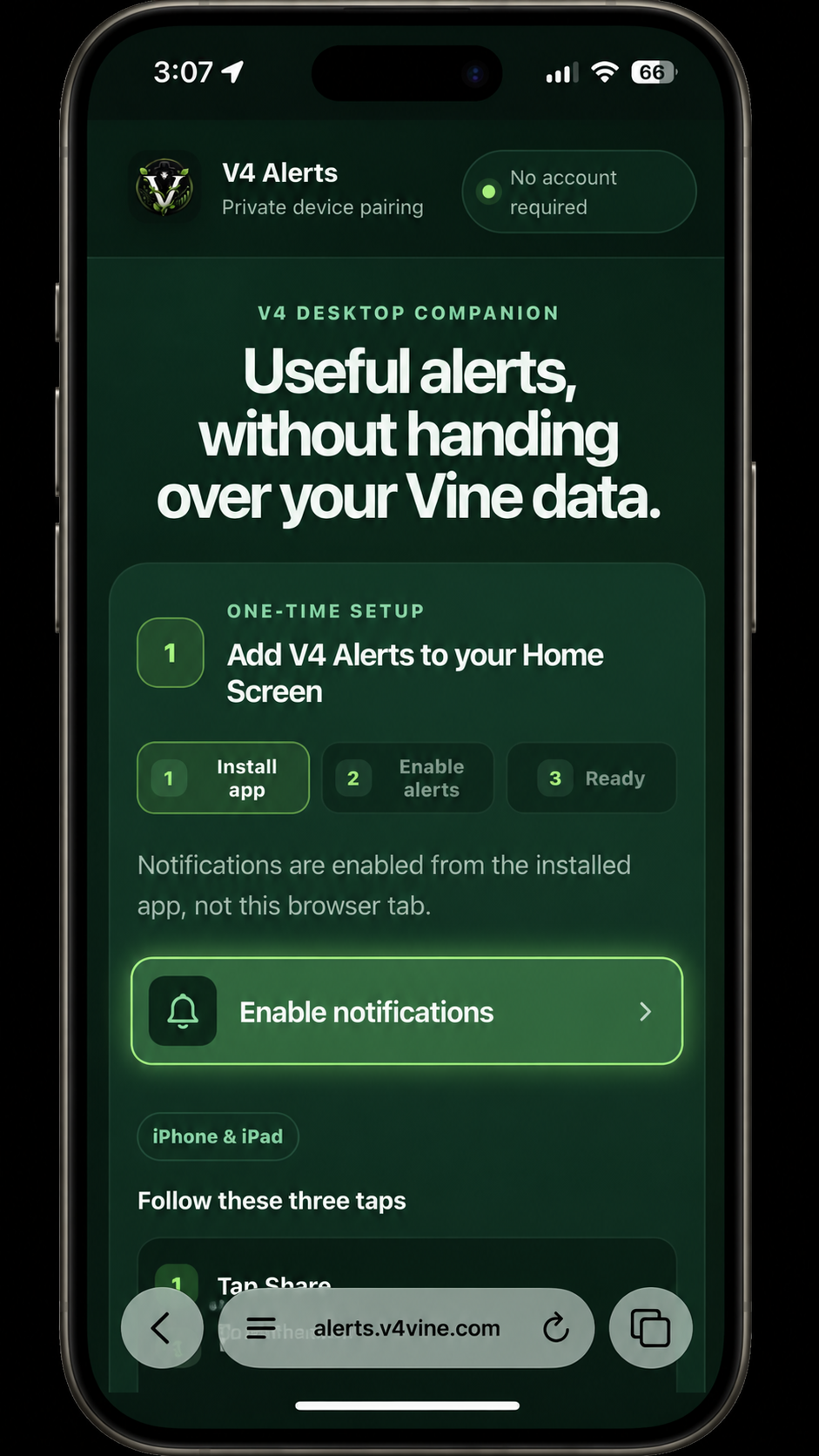
V4 DESKTOP COMPANION
Useful alerts, without handing over your Vine data.
Pair this phone directly with your V4 installation. V4 Alerts uses your browser's built-in notification service and keeps the connection private to your installation.
PAIRING STATUS
Checking this device…
V4 Alerts is checking browser and installation support.
ONE-TIME SETUP
Add V4 Alerts to your Home Screen
- 1Install app
- 2Enable alerts
- 3Ready
Notifications are enabled from the installed app, not this browser tab.
Start with the Share button. It is the square with an arrow pointing up. In Safari it may be below the page or beside the address bar.
Follow these four steps
-
1Tap Share
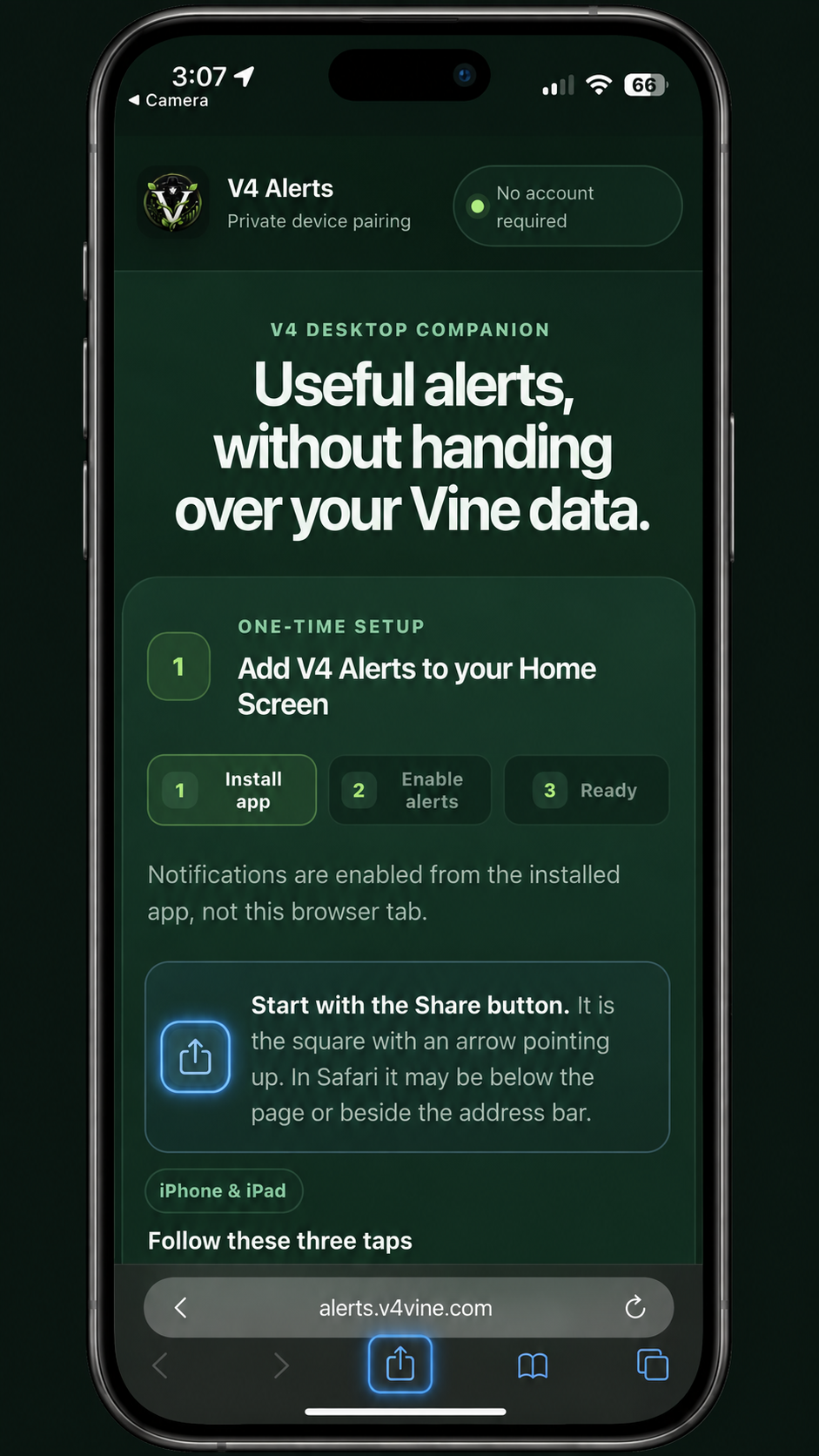
In Safari, tap the highlighted square with the arrow pointing up.
-
2Choose Add to Home Screen
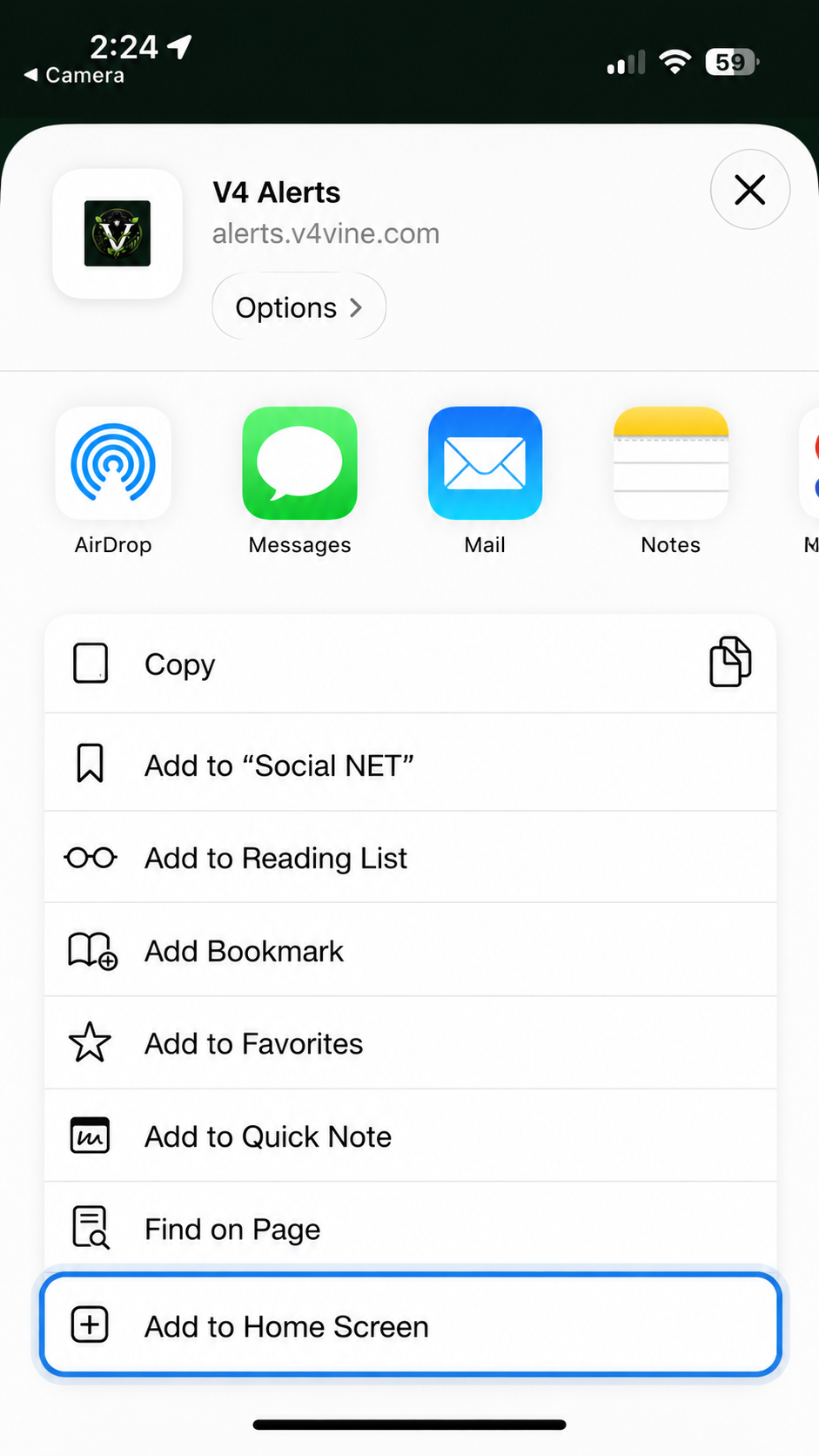
Scroll down in the Share menu if Add to Home Screen is not immediately visible.
-
3Tap Add
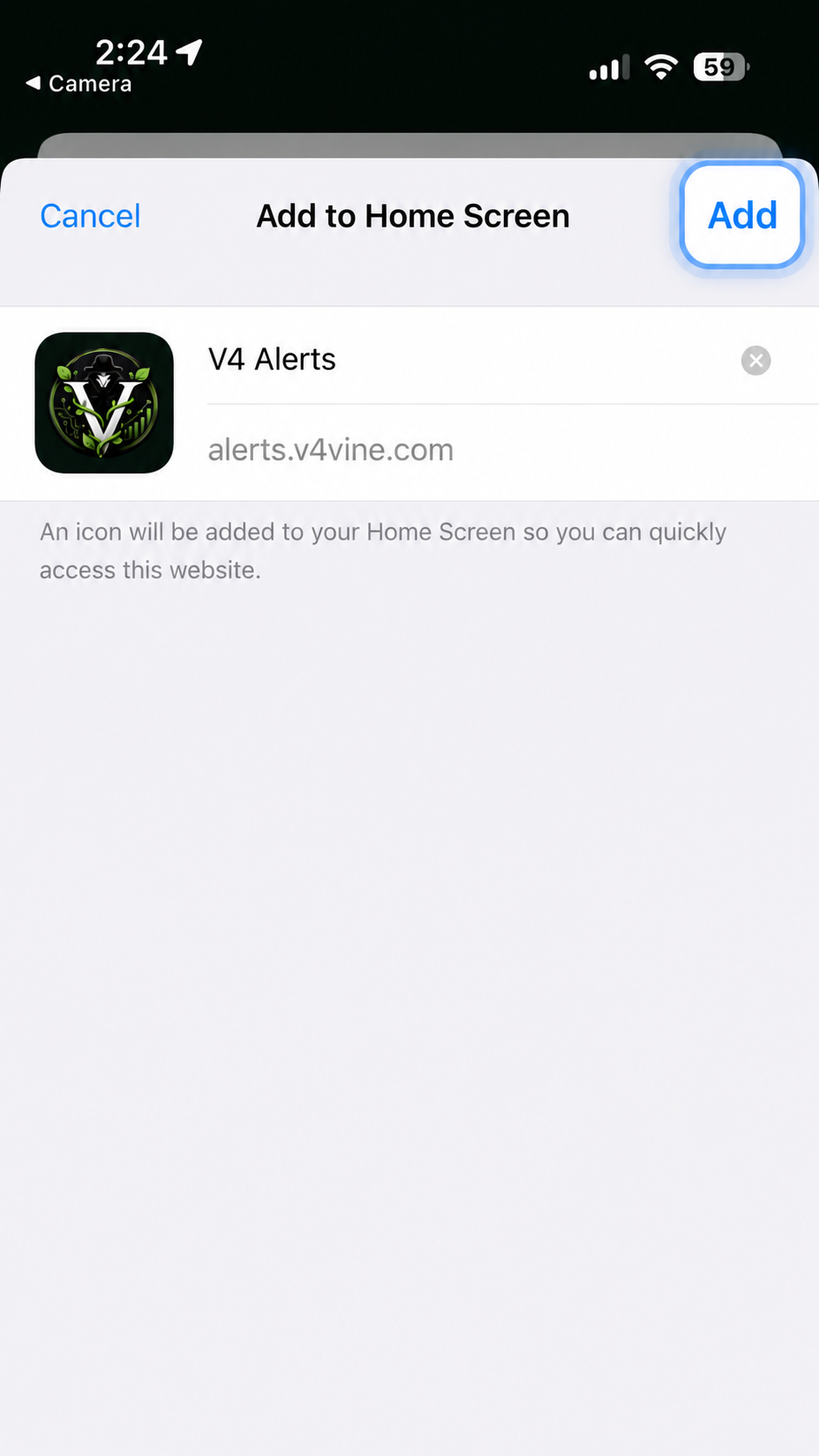
Confirm the V4 Alerts name and icon, then tap the highlighted Add button.
-
4Open V4 Alerts and enable notifications
Open V4 Alerts from your Home Screen, then tap Enable notifications.
- 1
Open your browser's menu.
- 2
Choose Install app or Add to Home Screen.
- 3
Open V4 Alerts from its new app icon.
V4 Alerts will never ask for notification permission from this browser tab. If the installed app asks for a code, use the temporary code shown in V4 Desktop.
PAIR THIS DEVICE
Connect to V4 Desktop
- ✓Installed
- 2Enable alerts
- 3Ready
The secure pairing request is ready on this device.
The pairing request expires after 10 minutes and works once. It cannot access your Amazon account or your V4 data.
Good afternoon!
Here's what's happening with Vine.
Today's activity
Choose what you see here. Alert settings stay the same.
Recent RFY items
View allNo RFY alerts saved yet
RFY alerts appear here after this phone processes them.
All Alerts
Your alert history, saved on this phone.
No saved alerts in this view
Try another filter. Filters never change your history.
Up to 40 alert groups, for up to 30 days. Clearing this list does not change pairing or notification delivery.
Drop Status
Predictions. Activity. What's next.
Today's Drop Schedule
Times shown in your local time
Loading today's schedule…
Today's saved Drop alerts
Settings
Manage your alerts and device.
PHONE ALERTS
StatusChecking notification delivery…
Verifying this phone's actual push subscription.
Settings
Your saved settings, read directly from V4.
Change Drop timing, phases and RFY notification preferences in V4 Desktop. This phone shows your saved Drop preferences without changing them.
Manage V4 Alerts notification appearance, sounds and Focus behavior in your phone's system settings. The PWA cannot change those settings for you.
Connection and test notificationRecent alert privacy
This phone keeps up to 40 alert groups for 30 days. Private history from your paired V4 installation helps this phone catch up silently when it reconnects.
Counts cover retained alerts on this phone. Today follows the Amazon day, resetting at midnight Pacific.
History is private to your paired V4 installation. Catch-up does not send old notifications. Clearing phone history does not change your pairing or notification settings.
Advanced device & privacy details
Keep this installed app paired to continue receiving V4 alerts.
- No V4 account, Amazon login, or API key
- Browser-standard Web Push
- Remove this device anytime from V4 Desktop
Delivery history
- Relay accepted
- Not yet
- Phone processed
- Not yet
Push-service acceptance does not confirm that a banner appeared. Phone processing is reported only when a worker confirmation is available.
- Pairing status
- Checking
- Notification permission
- Checking
- Local subscription
- Checking
- Relay subscription
- Checking
- Subscription fingerprint
- Checking
- Client version
- Checking
- Capabilities
- Checking
V4 Alerts · A better way to Vine.
Controlling worker not confirmed.
Paired with V4 Desktop using standards-based Web Push.
Designed for privacy
- No V4 account, Amazon login, or API key
- Browser-standard Web Push
- Remove the device anytime from V4 Desktop